MILK: Master's Inmi's Lustful Kingdom
MILK: Master Inmi’s Lustful Kingdom
Hello all! I've been working on this project for months now, and I'm finally at a point where I can share an update.
I originally played a certain classic Flash-era transformation game years ago called Nimin. As you can imagine, I mainly focused on Malon and breast expansion content. I always wished it got the sequel treatment that Corruption of Champions received, or the ongoing love that Trials in Tainted Space continues to enjoy. I kept imagining what it would be like with actual images, a slicker UI, maybe some character portraits.
NOTE: this is an independent fan project and is not an official continuation or release by the original creator.
Building the Game in Ren'Py
Let me be completely transparent with you: building this has personally been a Herculean task. Nimin had a lot of interlocking systems and variables, each of which depends on three other systems. Trying to fix or change any one thing has knock-on effects for everything else in the game.
Porting all of this in Ren'Py has been very difficult. I am absolutely certain I've missed things. There are definitely bugs lurking in there waiting to ruin someone's playthrough. PLEASE SAVE OFTEN. (Speaking of which: if you find bugs, please let me know. I will fix them.)
I've stress-tested the systems as best I feel I can, but I really need more people to test more things to know what to fix and change.
Funding Platforms and Content Changes
You may notice that this game cannot be found on my Patreon. I'm going to be upfront: getting an adult game to survive on mainstream funding platforms can be a minefield.
As I went through content with fresh eyes, I discovered that some material needed significant modifications to align with common platform guidelines. Some of those guidelines I genuinely agree with. Others feel overly puritanical for reasons that escape me entirely. But I want the option to fund new artwork and new content responsibly, so I made changes.
Here's what got modified:
- Lila's storyline got reworked pretty substantially. Her "mother" is now "Mira," her girlfriend/roommate.
- Speech patterns were normalized throughout (no more baby talk in contexts where it created uncomfortable implications).
- Battle terminology changed from "rape" to "seduce" throughout (which honestly reads better anyway).
- Certain routes were disabled or significantly altered.
If your favorite content got caught in the crossfire of content moderation, I'm genuinely sorry. I tried to preserve the spirit of things while staying within guidelines. It's a tricky balance.
What's New (Not Much)
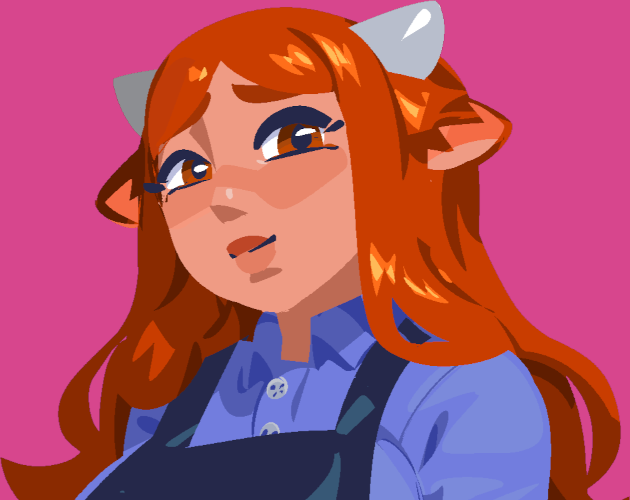
Very very slowly I've been trying to add images for major NPCs
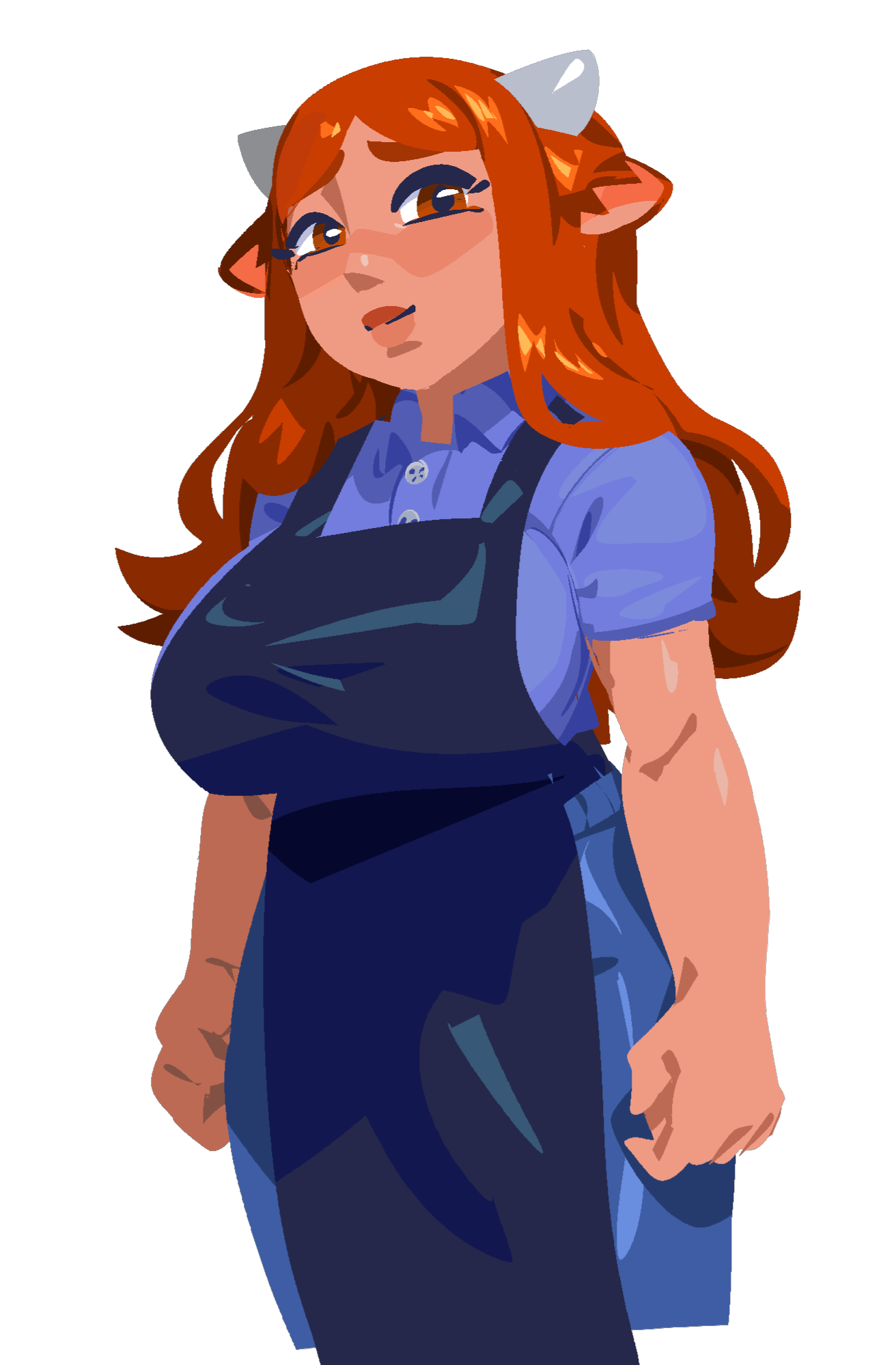
Currently there's one for Malon, Lila, and Silandrias.
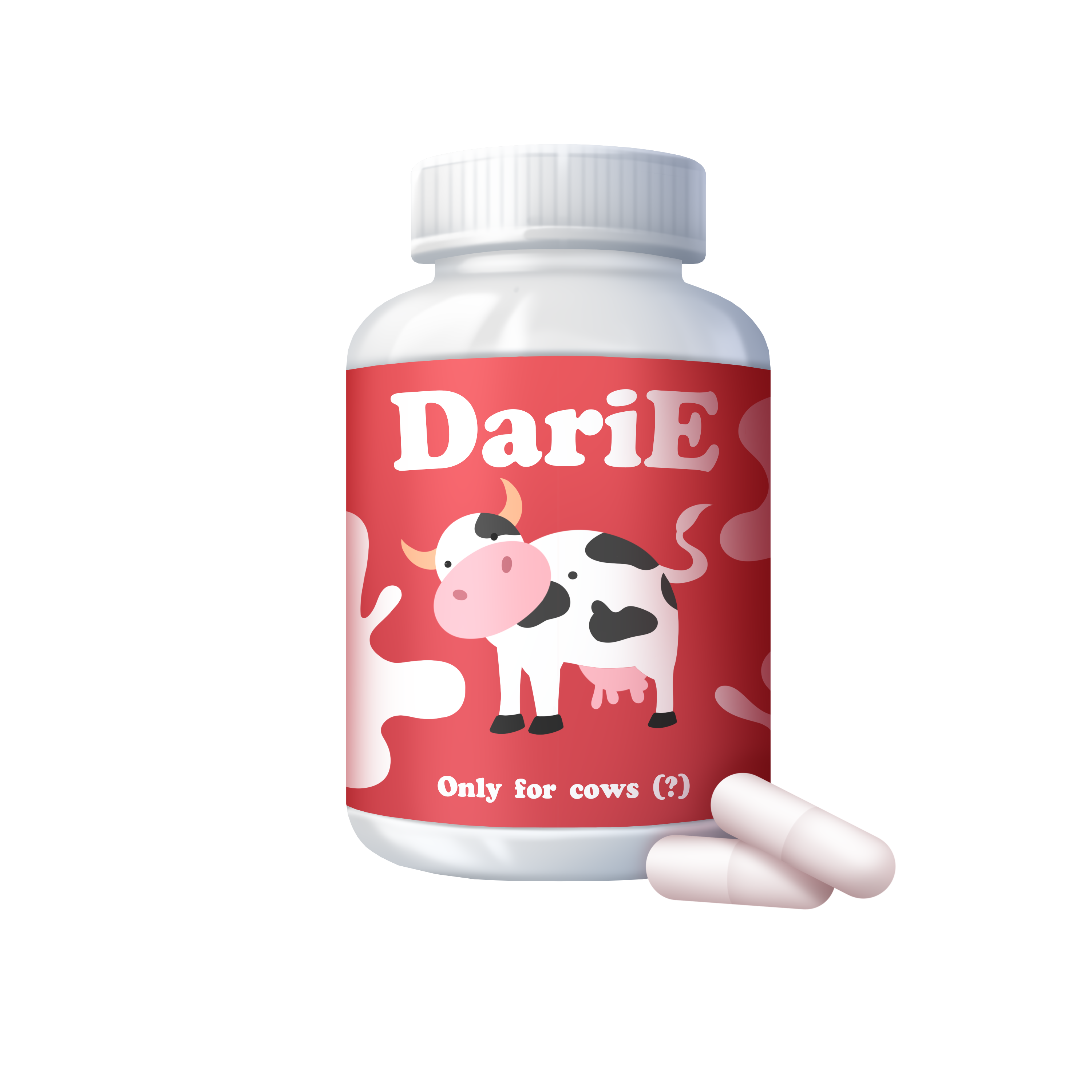
I've also added images for 5 items (mostly relating to Malon)
Compliance-Oriented Changes (Summary)
| Change | Earlier Version | Current Version |
|---|---|---|
| Lila's Guardian | "Mother" | "Mira" (Girlfriend) |
| Speech Patterns | Baby talk throughout | Normalized adult speech |
| Battle Actions | "Rape Victory" | "Seduce Victory" |
| Forced Encounters | Non-consensual elements | Player-choice interactions |
| Diaper Route | Full content | Disabled |
| Adult NPCs | Ambiguous ages | Explicitly 18+ |
The Future (What's Next?)
Right now I'm focusing on building and polishing, and this version will remain free. I may put future updates on SubscribeStar to help fund artwork and additional content, and possibly later Patreon (mostly for art funding).
What I'm planning:
- Expand on the dream sequences questline
- Add another civilization/town: I'm torn between Moths, Sheep, or Tapirs. (Tapirs feel underrepresented in transformation/furry fiction, don't you think? There's an untapped market.)
- Implement some kind of tile-based traversal for new areas (like TiTS) to make exploration more interesting
- More variations for events: this was one of my favorite parts of the classics. Like, if you get Malon repeatedly pregnant, her chest gets larger and she gets milkier. I want more of that.
What I need from you:
- Bug reports! Please!
- Content suggestions! What did you love that feels missing or underdeveloped?
- Ideas for new content! I'm overwhelmed by how huge these kinds of games can get. I probably haven't seen half of what players will do.
Download & Links
https://mega.nz/folder/ecU2jLQL#W8h4C6llqK01gE_Z94X-pg
Credits / Attribution
With thanks to Xadera. Inspired by Nimin Fantasy.
This project is not endorsed by, affiliated with, or an official continuation from Xadera
Final Thoughts
I started this project because I love this corner of weird little transformation games, and I want more of them to exist in playable, modern forms.
Is this version perfect? Absolutely not. Not yet.
Thank you!
— [Kyravisualnovels]
Download
Click download now to get access to the following files:
Comments
Log in with itch.io to leave a comment.
I can't buy any of the Alchemy recipes, it crashes every time I do.
idk if this a bug or not but the stat change from the singing event at the lake doesn't actually change your stats like it claims to
Nope that is a bug ... Thank you for letting me know !
there's also a crash when clicking return after certain exploration events, idk if it's because I'm playing in browser on mobile though
Do you remember which exploration events?
I believe one of them was the vines event in the jungle
I'll probably wait until the appearance is more polished and such, but I do wish you luck! I loved the original Nimin game, and was always sad to see it stopped being developed.
3 of the main NPCs have portraits now (Malon, Lila, and Silandrias)
And 5 items have images now (Mostly the milk related items)
Hoping to add more in the future
It's not my patreon quite yet just because I'm wary of the many Patreon NSFW rules for now, might have it mainly on subscribe star
You should see the images on Itch.io, let me know if you can't see them
Feel free to drop a screenshot
there's also a bug with as well when it comes to milking oneself. By using the milking machine that you buy
BUG: Appearance page gets an error after increasing balls too large with Hyper Happy level upgrades.
thanks, will look into this
I think it's cool to see this game revived but I also think it's kinda wrong to recreate a game that's not technically dead and plan on asking money to help before talking to the creator. Assuming you get that all situated though, I think a different engine would be better, especially if you're planning on adding more content and a tile-based map like you say. I know that's not easy, but maybe something like Godot would be better since it offers much more flexibility and it can still export to most platforms including web. Check out Broken Dreams Correctional Center which is made with it. Assuming good intentions though, best of luck!
Totally get the concern. I actually did talk to Xadera already, and they were cool with me doing it. The only real ask was: don’t call it “a remake of Nimin,” because they’re working on their own remake and want that wording to point to theirs. So I renamed it and made sure it’s clearly its own standalone thing, with just a small credit blurb.
On engine: I looked at Godot, and I agree it’s powerful (especially for tile maps). But the learning curve is real, and for a systems-heavy game with tons of variables, Ren’Py + Python lets me move faster and keep the logic cleaner and less error-prone. When I add a bigger exploration layer, I’ll build it in a way that fits Ren’Py’s strengths, but I’m prioritizing a stable playable core first.
That's awesome and I totally get it as it definitely isn't easy to switch engines no matter what way you look at it. I'm very excited for this project either way and look forward to seeing more, and I'm glad it's all cool with the Xadera!
Tried buying something from the Apothecary
Full traceback:
File "ReNimin-0.51-pc\renpy\bootstrap.py", line 359, in bootstrap
renpy.main.main()
File "ReNimin-0.51-pc\renpy\main.py", line 652, in main
run(restart)
File "ReNimin-0.51-pc\renpy\main.py", line 148, in run
renpy.execution.run_context(True)
File "ReNimin-0.51-pc\renpy\execution.py", line 958, in run_context
context.run()
File "locations/other/shops/apothecary.rpyc", line 1256, in script call
File "locations/other/shops/apothecary.rpyc", line 1256, in script call
File "ReNimin-0.51-pc\renpy\script.py", line 1103, in lookup
raise ScriptError("could not find label '%s'." % str(original))
ScriptError: could not find label 'add_hour'.
Loved the original Nimin as well. It defined my enjoyment for systemic interactions - I loved the notifications about bodily changes and weight, and really enjoyed maxing out eggs with the pseudo-dragon lady (can't even recall her name, it's been too many years). These systems also exist in Trials in Tainted Space somewhat, but overall I feel like Fenoxo's games have become bloated and wordy, losing their focus on the gameplay and gradual transformation I fell in love with. Of similar vintage is AnonymousMan's Cursed and Cmacleod's Slave Maker 2. That really was a golden age for this kind of content. There have been some upstarts over the years, but nothing has come close to the original Nimin for me.
Anyways, really respect the effort and excited to follow your progress!
Experienced a crash at the end of a prostitution event (spammed them to build up money, just like the good old days). I chose intersex start at Softlik. The specific scene was with the twins, and I think I got one of them pregnant. Then the program became unresponsive and I had to force quit. The log just showed the pregnancy checker. My character was also pregnant at the time. My platform is Windows. If there's anything else I can check for let me know!
Had another crash, exploring the jungle from Tieden.
---
I'm sorry, but an uncaught exception occurred.
While running game code:
File "renpy/common/000statements.rpy", line 671, in execute_call_screen
store._return = renpy.call_screen(name, *args, **kwargs)
File "game/screens/main_game_interface.rpy", line 86, in execute
File "game/screens/main_game_interface.rpy", line 86, in execute
File "game/screens/main_game_interface.rpy", line 90, in execute
File "game/screens/main_game_interface.rpy", line 91, in <module>
File "game/scripts/gameplay_mechanics.rpy", line 88, in do_weight
File "game/descriptions/utils.rpy", line 486, in breast_desc
TypeError: 'float' object is not callable
-- Full Traceback ------------------------------------------------------------
Full traceback:
File "locations/other/shops.rpyc", line 233, in script call
File "locations/other/shops.rpyc", line 233, in script call
File "locations/other/shops.rpyc", line 233, in script call
[Previous line repeated 1 more time]
File "locations/other/shops.rpyc", line 235, in script call
File "locations/other/shops.rpyc", line 235, in script call
File "locations/other/shops.rpyc", line 237, in script call
File "locations/other/shops.rpyc", line 233, in script call
File "locations/other/shops.rpyc", line 237, in script call
File "locations/outside/jungle.rpyc", line 19, in script call
File "locations/outside/jungle.rpyc", line 184, in script call
File "locations/outside/jungle.rpyc", line 19, in script call
File "locations/outside/jungle.rpyc", line 184, in script call
File "locations/outside/jungle.rpyc", line 19, in script call
File "locations/outside/jungle.rpyc", line 184, in script call
File "script.rpyc", line 1139, in script
File "C:\Users\[user]\Desktop\stuff\Games\ReNimin-0.5-pc\ReNimin-0.5-pc\renpy\ast.py", line 1987, in execute
self.call("execute")
File "C:\Users\[user]\Desktop\stuff\Games\ReNimin-0.5-pc\ReNimin-0.5-pc\renpy\ast.py", line 1966, in call
return renpy.statements.call(method, parsed, *args, **kwargs)
File "C:\Users\[user]\Desktop\stuff\Games\ReNimin-0.5-pc\ReNimin-0.5-pc\renpy\statements.py", line 374, in call
return method(parsed, *args, **kwargs)
File "renpy/common/000statements.rpy", line 671, in execute_call_screen
store._return = renpy.call_screen(name, *args, **kwargs)
File "C:\Users\[user]\Desktop\stuff\Games\ReNimin-0.5-pc\ReNimin-0.5-pc\renpy\exports\statementexports.py", line 345, in call_screen
rv = renpy.ui.interact(mouse="screen", type="screen", roll_forward=roll_forward)
File "C:\Users\[user]\Desktop\stuff\Games\ReNimin-0.5-pc\ReNimin-0.5-pc\renpy\ui.py", line 301, in interact
rv = renpy.game.interface.interact(roll_forward=roll_forward, **kwargs)
File "C:\Users\[user]\Desktop\stuff\Games\ReNimin-0.5-pc\ReNimin-0.5-pc\renpy\display\core.py", line 2218, in interact
repeat, rv = self.interact_core(preloads=preloads, trans_pause=trans_pause, pause=pause, pause_start=pause_start, pause_modal=pause_modal, **kwargs) # type: ignore
File "C:\Users\[user]\Desktop\stuff\Games\ReNimin-0.5-pc\ReNimin-0.5-pc\renpy\display\core.py", line 2748, in interact_core
root_widget.visit_all(lambda d : d.per_interact())
File "C:\Users\[user]\Desktop\stuff\Games\ReNimin-0.5-pc\ReNimin-0.5-pc\renpy\display\displayable.py", line 434, in visit_all
d.visit_all(callback, seen)
File "C:\Users\[user]\Desktop\stuff\Games\ReNimin-0.5-pc\ReNimin-0.5-pc\renpy\display\displayable.py", line 434, in visit_all
d.visit_all(callback, seen)
File "C:\Users\[user]\Desktop\stuff\Games\ReNimin-0.5-pc\ReNimin-0.5-pc\renpy\display\displayable.py", line 434, in visit_all
d.visit_all(callback, seen)
File "C:\Users\[user]\Desktop\stuff\Games\ReNimin-0.5-pc\ReNimin-0.5-pc\renpy\display\screen.py", line 480, in visit_all
callback(self)
File "C:\Users\[user]\Desktop\stuff\Games\ReNimin-0.5-pc\ReNimin-0.5-pc\renpy\display\core.py", line 2748, in <lambda>
root_widget.visit_all(lambda d : d.per_interact())
File "C:\Users\[user]\Desktop\stuff\Games\ReNimin-0.5-pc\ReNimin-0.5-pc\renpy\display\screen.py", line 491, in per_interact
self.update()
File "C:\Users\[user]\Desktop\stuff\Games\ReNimin-0.5-pc\ReNimin-0.5-pc\renpy\display\screen.py", line 700, in update
self.screen.function(**self.scope)
File "game/screens/main_game_interface.rpy", line 86, in execute
File "game/screens/main_game_interface.rpy", line 86, in execute
File "game/screens/main_game_interface.rpy", line 90, in execute
File "game/screens/main_game_interface.rpy", line 91, in <module>
File "game/scripts/gameplay_mechanics.rpy", line 88, in do_weight
File "game/descriptions/utils.rpy", line 486, in breast_desc
TypeError: 'float' object is not callable
Windows-10-10.0.26200 AMD64
Ren'Py 8.3.7.25031702
ReNimin 0.5
Tue Feb 3 23:43:51 2026
I found another problem.
The game crashes when you click the back option after you discover Tieden as a felin.
Here is the log
2026-01-29 03:46:04 UTC
Emscripten-3.1.24-wasm32-32bit
Ren'Py 8.3.7.25031702
ReNimin
0.5
Built at 2026-01-26 04:28:00 UTC
Early init took 0.05s
Loading error handling took 0.07s
Loading script...
Loading script took 5.51s
Loading save slot metadata took 0.03s
Loading persistent took 0.00s
Set script version to: (8, 3, 7)
Running init code took 0.07s
Loading analysis data took 0.04s
Analyze and compile ATL took 0.01s
Reloading save slot metadata took 0.02s
Index archives took 0.00s
Dump and make backups took 0.00s
Cleaning cache took 0.00s
Making clean stores took 0.01s
Initial gc took 0.10s
DPI scale factor: 1.000000
Creating interface object took 0.01s
Cleaning stores took 0.00s
Init translation took 0.01s
Build styles took 0.01s
Load screen analysis took 0.01s
Analyze screens took 0.06s
Save screen analysis took 0.05s
Prepare screens took 0.23s
Save pyanalysis. took 0.00s
Save bytecode. took 0.11s
Running _start took 0.01s
Interface start took 0.93s
Initializing gles2 renderer:
primary display bounds: (0, 0, 1536, 864)
swap interval: 1 frames
Windowed mode.
UGUU couldn't find b'glFlushMappedBufferRange': b'No OpenGL context has been made current'
UGUU couldn't find b'glGetBufferPointerv': b'No OpenGL context has been made current'
UGUU couldn't find b'glMapBufferRange': b'No OpenGL context has been made current'
UGUU couldn't find b'glUnmapBuffer': b'No OpenGL context has been made current'
Vendor: "b'WebKit'"
Renderer: b'WebKit WebGL'
Version: b'OpenGL ES 3.0 (WebGL 2.0 (OpenGL ES 3.0 Chromium))'
Display Info: None
Screen sizes: virtual=(1920, 1080) physical=(1536, 864) drawable=(1920, 1080)
Could not open 'cache/shaders.txt':
Maximum texture size: 4096x4096
Current pregArray: []
Current pregArray: []
Current pregArray: []
Current pregArray: [False, 0, 0, 0, 0]
preg_check(0) returning: False
Current pregArray: [False, 0, 0, 0, 0]
preg_check(0) returning: False
Current pregArray: [False, 0, 0, 0, 0]
preg_check(0) returning: False
Current pregArray: [False, 0, 0, 0, 0]
preg_check(0) returning: False
Current pregArray: [False, 0, 0, 0, 0]
preg_check(0) returning: False
Current pregArray: [False, 0, 0, 0, 0]
preg_check(0) returning: False
Current pregArray: [False, 0, 0, 0, 0]
preg_check(0) returning: False
Current pregArray: [False, 0, 0, 0, 0]
preg_check(0) returning: False
Current pregArray: [False, 0, 0, 0, 0]
preg_check(0) returning: False
Current pregArray: [False, 0, 0, 0, 0]
preg_check(0) returning: False
Current pregArray: [False, 0, 0, 0, 0]
preg_check(0) returning: False
Current pregArray: [False, 0, 0, 0, 0]
preg_check(0) returning: False
Current pregArray: [False, 0, 0, 0, 0]
preg_check(0) returning: False
Current pregArray: [False, 0, 0, 0, 0]
preg_check(0) returning: False
Current pregArray: [False, 0, 0, 0, 0]
preg_check(0) returning: False
Full traceback:
File "//game/script.rpyc", line 1139, in script
File "/renpy/ast.py", line 1987, in execute
self.call("execute")
File "/renpy/ast.py", line 1966, in call
return renpy.statements.call(method, parsed, *args, **kwargs)
File "/renpy/statements.py", line 374, in call
return method(parsed, *args, **kwargs)
File "renpy/common/000statements.rpy", line 671, in execute_call_screen
store._return = renpy.call_screen(name, *args, **kwargs)
File "/renpy/exports/statementexports.py", line 345, in call_screen
rv = renpy.ui.interact(mouse="screen", type="screen", roll_forward=roll_forward)
File "/renpy/ui.py", line 301, in interact
rv = renpy.game.interface.interact(roll_forward=roll_forward, **kwargs)
File "/renpy/display/core.py", line 2218, in interact
repeat, rv = self.interact_core(preloads=preloads, trans_pause=trans_pause, pause=pause, pause_start=pause_start, pause_modal=pause_modal, **kwargs) # type: ignore
File "/renpy/display/core.py", line 2748, in interact_core
root_widget.visit_all(lambda d : d.per_interact())
File "/renpy/display/displayable.py", line 434, in visit_all
d.visit_all(callback, seen)
File "/renpy/display/displayable.py", line 434, in visit_all
d.visit_all(callback, seen)
File "/renpy/display/displayable.py", line 434, in visit_all
d.visit_all(callback, seen)
File "/renpy/display/screen.py", line 480, in visit_all
callback(self)
File "/renpy/display/core.py", line 2748, in <lambda>
root_widget.visit_all(lambda d : d.per_interact())
File "/renpy/display/screen.py", line 491, in per_interact
self.update()
File "/renpy/display/screen.py", line 700, in update
self.screen.function(**self.scope)
File "game/screens/main_game_interface.rpy", line 86, in execute
File "game/screens/main_game_interface.rpy", line 86, in execute
File "game/screens/main_game_interface.rpy", line 90, in execute
File "game/screens/main_game_interface.rpy", line 91, in <module>
File "game/scripts/gameplay_mechanics.rpy", line 88, in do_weight
File "game/descriptions/utils.rpy", line 486, in breast_desc
TypeError: 'float' object is not callable
While running game code:
File "renpy/common/000statements.rpy", line 671, in execute_call_screen
store._return = renpy.call_screen(name, *args, **kwargs)
File "game/screens/main_game_interface.rpy", line 86, in execute
File "game/screens/main_game_interface.rpy", line 86, in execute
File "game/screens/main_game_interface.rpy", line 90, in execute
File "game/screens/main_game_interface.rpy", line 91, in <module>
File "game/scripts/gameplay_mechanics.rpy", line 88, in do_weight
File "game/descriptions/utils.rpy", line 486, in breast_desc
TypeError: 'float' object is not callable
Screen sizes: virtual=(1920, 1080) physical=(1920, 1080) drawable=(2400, 1350)
Could not open 'cache/shaders.txt':
Maximum texture size: 4096x4096
Full traceback:
File "//game/script.rpyc", line 1139, in script
File "/renpy/ast.py", line 1987, in execute
self.call("execute")
File "/renpy/ast.py", line 1966, in call
return renpy.statements.call(method, parsed, *args, **kwargs)
File "/renpy/statements.py", line 374, in call
return method(parsed, *args, **kwargs)
File "renpy/common/000statements.rpy", line 671, in execute_call_screen
store._return = renpy.call_screen(name, *args, **kwargs)
File "/renpy/exports/statementexports.py", line 345, in call_screen
rv = renpy.ui.interact(mouse="screen", type="screen", roll_forward=roll_forward)
File "/renpy/ui.py", line 301, in interact
rv = renpy.game.interface.interact(roll_forward=roll_forward, **kwargs)
File "/renpy/display/core.py", line 2218, in interact
repeat, rv = self.interact_core(preloads=preloads, trans_pause=trans_pause, pause=pause, pause_start=pause_start, pause_modal=pause_modal, **kwargs) # type: ignore
File "/renpy/display/core.py", line 2748, in interact_core
root_widget.visit_all(lambda d : d.per_interact())
File "/renpy/display/displayable.py", line 434, in visit_all
d.visit_all(callback, seen)
File "/renpy/display/displayable.py", line 434, in visit_all
d.visit_all(callback, seen)
File "/renpy/display/displayable.py", line 434, in visit_all
d.visit_all(callback, seen)
File "/renpy/display/screen.py", line 480, in visit_all
callback(self)
File "/renpy/display/core.py", line 2748, in <lambda>
root_widget.visit_all(lambda d : d.per_interact())
File "/renpy/display/screen.py", line 491, in per_interact
self.update()
File "/renpy/display/screen.py", line 700, in update
self.screen.function(**self.scope)
File "game/screens/main_game_interface.rpy", line 86, in execute
File "game/screens/main_game_interface.rpy", line 86, in execute
File "game/screens/main_game_interface.rpy", line 90, in execute
File "game/screens/main_game_interface.rpy", line 91, in <module>
File "game/scripts/gameplay_mechanics.rpy", line 88, in do_weight
File "game/descriptions/utils.rpy", line 486, in breast_desc
TypeError: 'float' object is not callable
While running game code:
File "renpy/common/000statements.rpy", line 671, in execute_call_screen
store._return = renpy.call_screen(name, *args, **kwargs)
File "game/screens/main_game_interface.rpy", line 86, in execute
File "game/screens/main_game_interface.rpy", line 86, in execute
File "game/screens/main_game_interface.rpy", line 90, in execute
File "game/screens/main_game_interface.rpy", line 91, in <module>
File "game/scripts/gameplay_mechanics.rpy", line 88, in do_weight
File "game/descriptions/utils.rpy", line 486, in breast_desc
TypeError: 'float' object is not callable
Full traceback:
File "//game/script.rpyc", line 1139, in script
File "/renpy/ast.py", line 1987, in execute
self.call("execute")
File "/renpy/ast.py", line 1966, in call
return renpy.statements.call(method, parsed, *args, **kwargs)
File "/renpy/statements.py", line 374, in call
return method(parsed, *args, **kwargs)
File "renpy/common/000statements.rpy", line 671, in execute_call_screen
store._return = renpy.call_screen(name, *args, **kwargs)
File "/renpy/exports/statementexports.py", line 345, in call_screen
rv = renpy.ui.interact(mouse="screen", type="screen", roll_forward=roll_forward)
File "/renpy/ui.py", line 301, in interact
rv = renpy.game.interface.interact(roll_forward=roll_forward, **kwargs)
File "/renpy/display/core.py", line 2218, in interact
repeat, rv = self.interact_core(preloads=preloads, trans_pause=trans_pause, pause=pause, pause_start=pause_start, pause_modal=pause_modal, **kwargs) # type: ignore
File "/renpy/display/core.py", line 2748, in interact_core
root_widget.visit_all(lambda d : d.per_interact())
File "/renpy/display/displayable.py", line 434, in visit_all
d.visit_all(callback, seen)
File "/renpy/display/displayable.py", line 434, in visit_all
d.visit_all(callback, seen)
File "/renpy/display/displayable.py", line 434, in visit_all
d.visit_all(callback, seen)
File "/renpy/display/screen.py", line 480, in visit_all
callback(self)
File "/renpy/display/core.py", line 2748, in <lambda>
root_widget.visit_all(lambda d : d.per_interact())
File "/renpy/display/screen.py", line 491, in per_interact
self.update()
File "/renpy/display/screen.py", line 700, in update
self.screen.function(**self.scope)
File "game/screens/main_game_interface.rpy", line 86, in execute
File "game/screens/main_game_interface.rpy", line 86, in execute
File "game/screens/main_game_interface.rpy", line 90, in execute
File "game/screens/main_game_interface.rpy", line 91, in <module>
File "game/scripts/gameplay_mechanics.rpy", line 88, in do_weight
File "game/descriptions/utils.rpy", line 486, in breast_desc
TypeError: 'float' object is not callable
While running game code:
File "renpy/common/000statements.rpy", line 671, in execute_call_screen
store._return = renpy.call_screen(name, *args, **kwargs)
File "game/screens/main_game_interface.rpy", line 86, in execute
File "game/screens/main_game_interface.rpy", line 86, in execute
File "game/screens/main_game_interface.rpy", line 90, in execute
File "game/screens/main_game_interface.rpy", line 91, in <module>
File "game/scripts/gameplay_mechanics.rpy", line 88, in do_weight
File "game/descriptions/utils.rpy", line 486, in breast_desc
TypeError: 'float' object is not callable
Full traceback:
File "//game/script.rpyc", line 1139, in script
File "/renpy/ast.py", line 1987, in execute
self.call("execute")
File "/renpy/ast.py", line 1966, in call
return renpy.statements.call(method, parsed, *args, **kwargs)
File "/renpy/statements.py", line 374, in call
return method(parsed, *args, **kwargs)
File "renpy/common/000statements.rpy", line 671, in execute_call_screen
store._return = renpy.call_screen(name, *args, **kwargs)
File "/renpy/exports/statementexports.py", line 345, in call_screen
rv = renpy.ui.interact(mouse="screen", type="screen", roll_forward=roll_forward)
File "/renpy/ui.py", line 301, in interact
rv = renpy.game.interface.interact(roll_forward=roll_forward, **kwargs)
File "/renpy/display/core.py", line 2218, in interact
repeat, rv = self.interact_core(preloads=preloads, trans_pause=trans_pause, pause=pause, pause_start=pause_start, pause_modal=pause_modal, **kwargs) # type: ignore
File "/renpy/display/core.py", line 2748, in interact_core
root_widget.visit_all(lambda d : d.per_interact())
File "/renpy/display/displayable.py", line 434, in visit_all
d.visit_all(callback, seen)
File "/renpy/display/displayable.py", line 434, in visit_all
d.visit_all(callback, seen)
File "/renpy/display/displayable.py", line 434, in visit_all
d.visit_all(callback, seen)
File "/renpy/display/screen.py", line 480, in visit_all
callback(self)
File "/renpy/display/core.py", line 2748, in <lambda>
root_widget.visit_all(lambda d : d.per_interact())
File "/renpy/display/screen.py", line 491, in per_interact
self.update()
File "/renpy/display/screen.py", line 700, in update
self.screen.function(**self.scope)
File "game/screens/main_game_interface.rpy", line 86, in execute
File "game/screens/main_game_interface.rpy", line 86, in execute
File "game/screens/main_game_interface.rpy", line 90, in execute
File "game/screens/main_game_interface.rpy", line 91, in <module>
File "game/scripts/gameplay_mechanics.rpy", line 88, in do_weight
File "game/descriptions/utils.rpy", line 486, in breast_desc
TypeError: 'float' object is not callable
While running game code:
File "renpy/common/000statements.rpy", line 671, in execute_call_screen
store._return = renpy.call_screen(name, *args, **kwargs)
File "game/screens/main_game_interface.rpy", line 86, in execute
File "game/screens/main_game_interface.rpy", line 86, in execute
File "game/screens/main_game_interface.rpy", line 90, in execute
File "game/screens/main_game_interface.rpy", line 91, in <module>
File "game/scripts/gameplay_mechanics.rpy", line 88, in do_weight
File "game/descriptions/utils.rpy", line 486, in breast_desc
TypeError: 'float' object is not callable
Screen sizes: virtual=(1920, 1080) physical=(1536, 864) drawable=(1920, 1080)
Could not open 'cache/shaders.txt':
Maximum texture size: 4096x4096
Should be fixed now
This keeps popping up nearly every time I interact with the game.
Current pregArray: [False, 0, 0, 0, 0]
preg_check(0) returning: False
I think you have it checking if the player is pregnant at every input.
I have some print statements left over, it should be fixed now
Really excited to see this! I remember playing it years ago and love to see it getting some love.
Wanted to a potential bug, it seems like the "Milker" item is one use and then you have to buy another.
Fixed this too